TL;DR: Zenflow connects directly to Confluence, turning your knowledge base into an active part of your engineering workflow. Point Zenflow at a product spec, an RFC, or a runbook — and it reads the doc, understands the requirements, and builds the implementation. Your specs finally ship themselves.
What Is Confluence?
Confluence is Atlassian's enterprise knowledge management platform used by over 75,000 organizations worldwide. Engineering teams use it to store product specifications, architecture decision records (ADRs), request-for-comment (RFC) documents, runbooks, onboarding guides, and technical design docs. It is the institutional memory of most software organizations.
The problem is that memory rarely connects to action. A 40-page product spec sits in Confluence while engineers read it, interpret it, and manually translate requirements into code — a slow, lossy process where context gets dropped and implementation drifts from the original intent.
What Is Zenflow?
Zenflow is an AI-powered software development platform that bridges your documentation layer and your codebase. Rather than treating Confluence as a read-only reference, Zenflow agents actively query your pages, extract structured requirements, and use them as direct task context for code generation, PR creation, and workflow automation.
The Confluence integration turns your knowledge base from a place engineers visit into a system that drives engineering output.
Why Docs Don't Ship — And How AI Changes That
The documentation-to-implementation gap is one of the most persistent inefficiencies in enterprise software development. A 2026 Atlassian survey found that engineering teams spend an average of 3.8 hours per week re-reading and re-interpreting documentation that already exists in their knowledge base. (Atlassian, 2026)
The root cause is structural: documentation systems and development tools are separate. Engineers must manually carry context across the boundary — from a Confluence page to their IDE — every time they start a task. Zenflow eliminates that boundary entirely.
How to Connect Zenflow to Confluence
Step 1: Open the Connections Panel and Search for Confluence
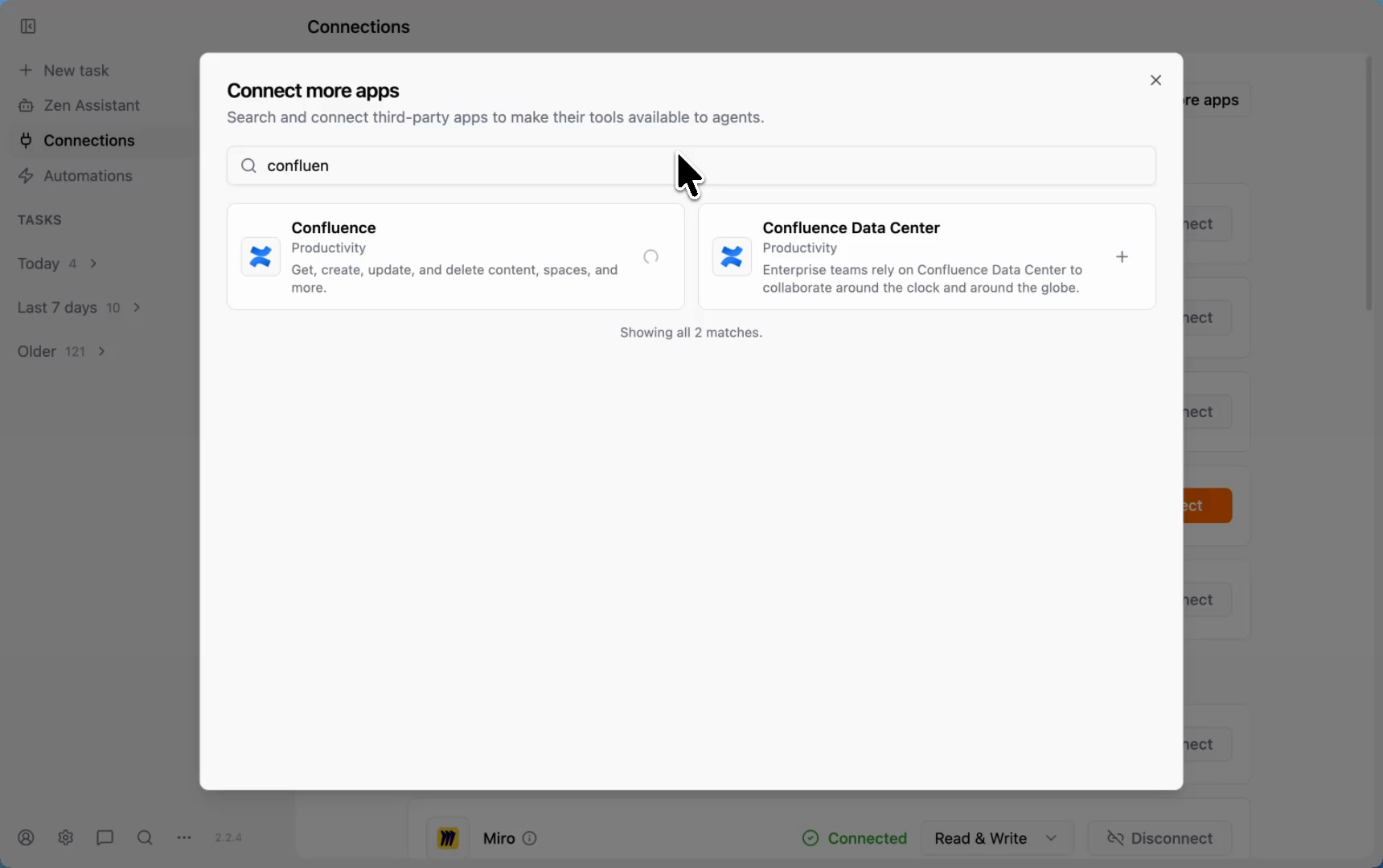
In the Zenflow sidebar, navigate to Connections and click Connect more apps. The integration catalog will open. Type "confluence" in the search bar. You will see two options: Confluence (Cloud) and Confluence Data Center — both are fully supported. Click the + icon next to the one that matches your Atlassian deployment.
Step 2: Authorize via Atlassian OAuth
Zenflow connects to Confluence through a secure OAuth handoff via Pipedream. You will be redirected to Atlassian's authorization page where you sign in with your Atlassian credentials and grant Zenflow permission to access your workspace. Your credentials are never stored by Zenflow — the connection is managed via your Atlassian account, and you can revoke it at any time from your Atlassian account settings.
Step 3: Choose Your Mode — Work Mode for Knowledge Queries
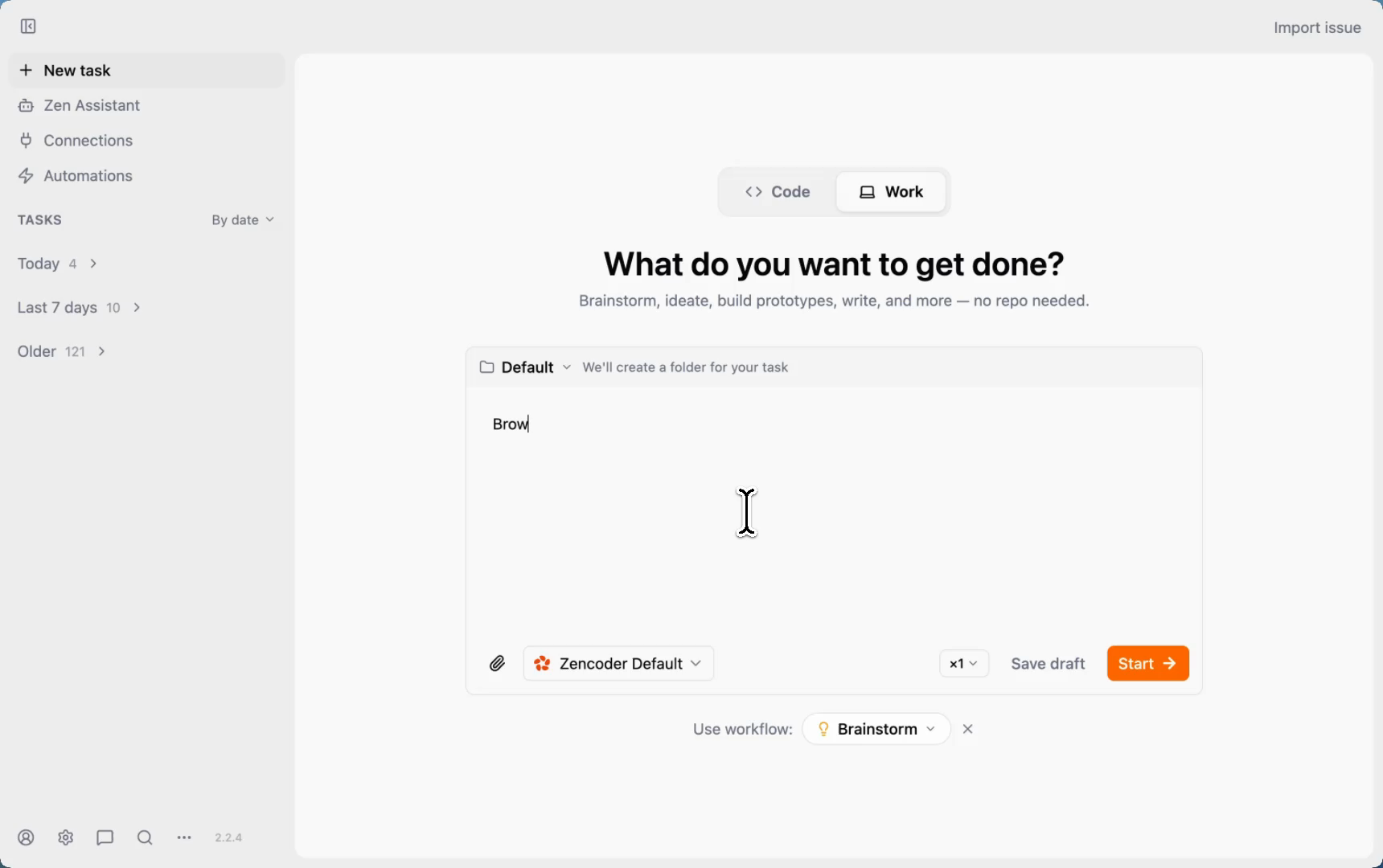
Once connected, you can query your Confluence workspace from Zenflow tasks. For knowledge-base operations — browsing pages, searching spaces, summarizing content — use Work mode. Work mode is designed for multi-tool workflows that don't require a code repository: it connects to your external tools and lets the agent reason across your entire connected stack without needing a local folder or repo context.
Step 4: Reference Confluence Pages in Your Tasks
Once connected, you can reference Confluence content directly in your Zenflow task prompts. For example:
- "Read the product spec at [Confluence page URL] and implement the user authentication feature described in Section 3."
- "Pull the RFC for the payments redesign from Confluence and build the API layer."
- "Browse my Confluence workspace and get me the summary of Q3 product updates."
Zenflow fetches the page content, parses the requirements, and uses them as authoritative task context before writing a single line of code.
Zenflow + Confluence in Action
Here is exactly what happens when you run a Confluence-powered task inside Zenflow. In this demo, the task prompt is: "Browse my Confluence workspace and please get me the summary of Q3 product updates."
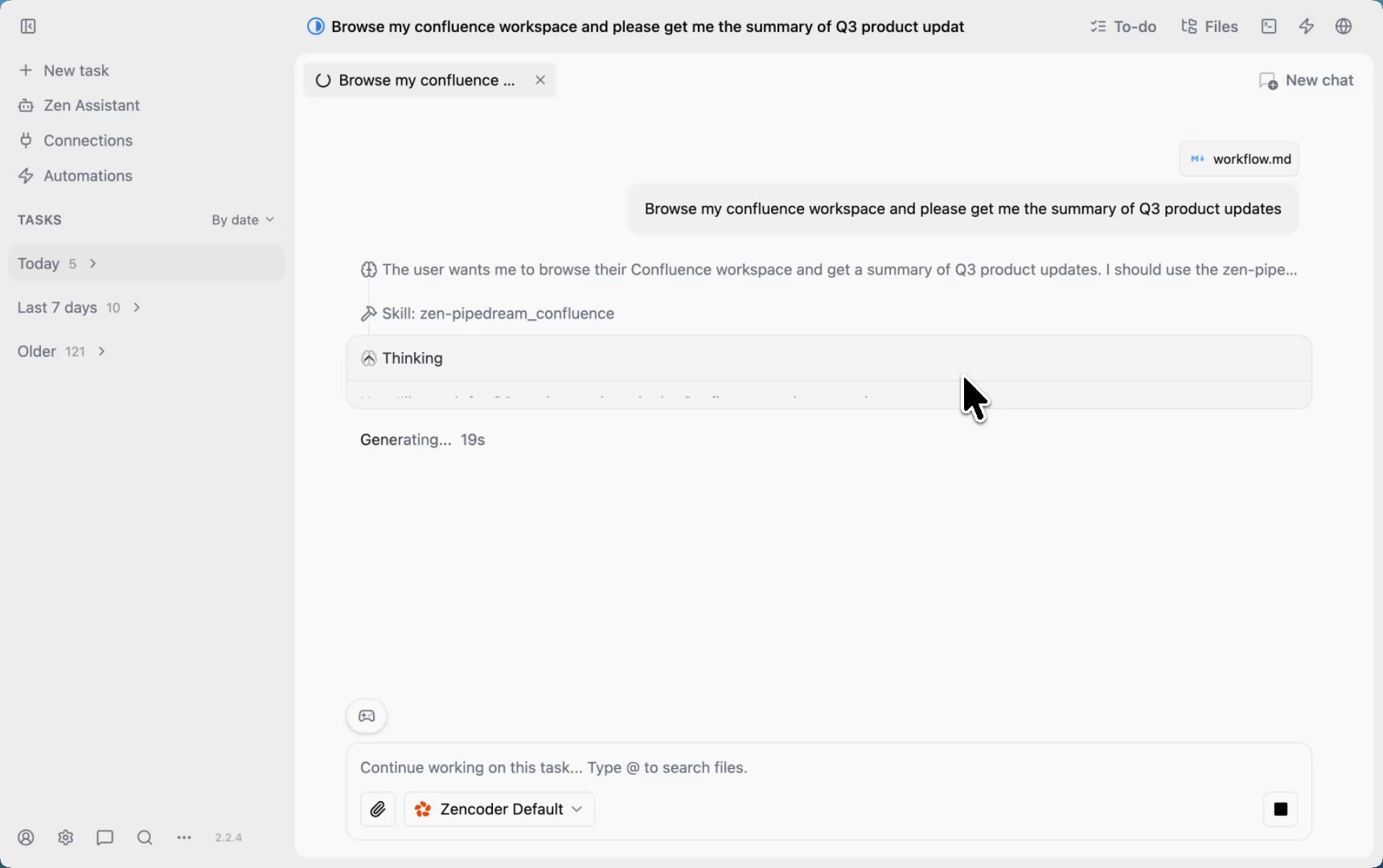
Zenflow's agent reasons through the task: it identifies the connected Confluence workspace, searches for content related to Q3 product updates, and locates the relevant page. When a page is found, the agent goes deeper — fetching the full page content to extract the structured details rather than relying on a truncated search excerpt.
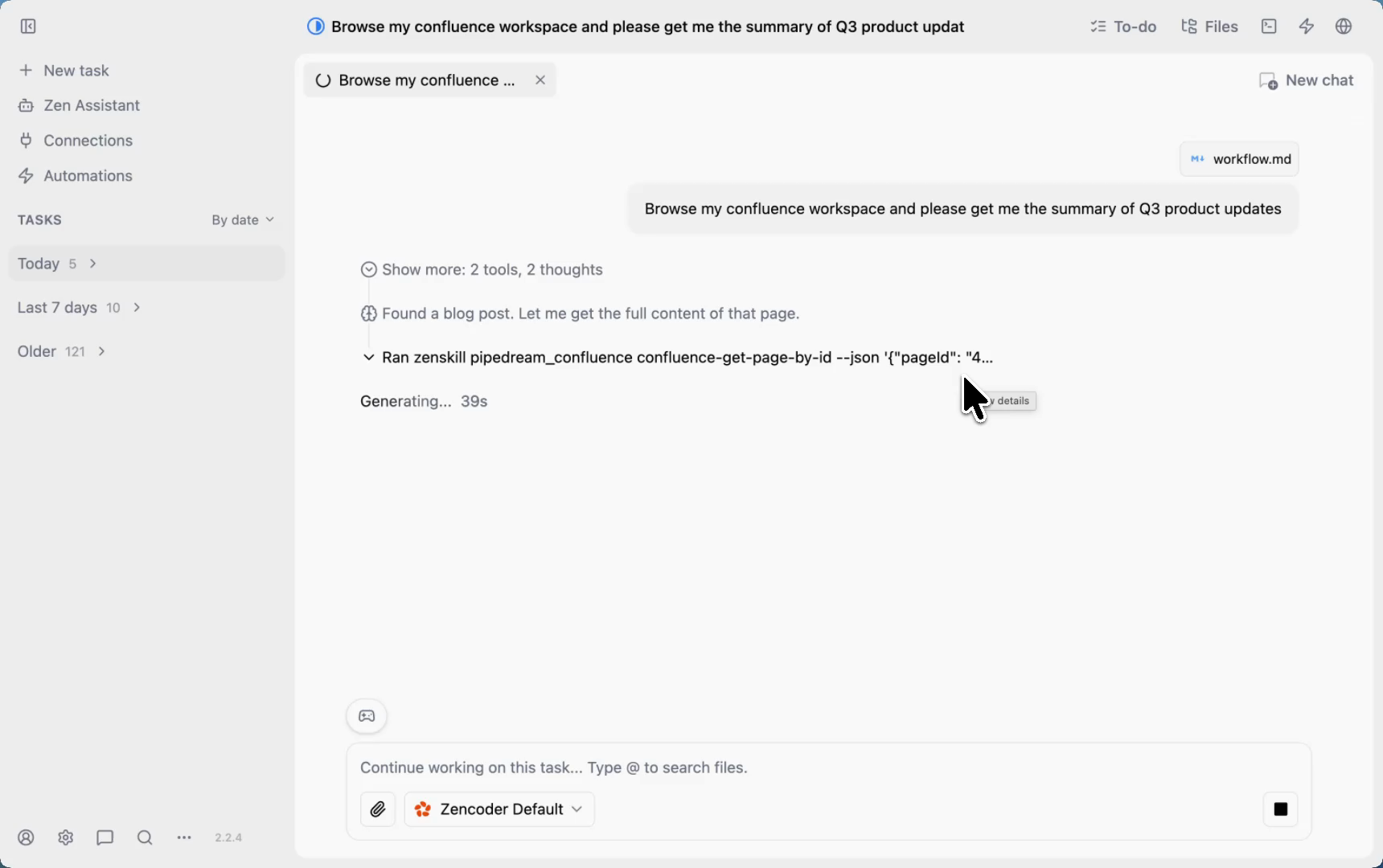
After roughly 90 seconds of reasoning and tool calls, Zenflow surfaces the complete result — parsed, structured, and ready to act on:
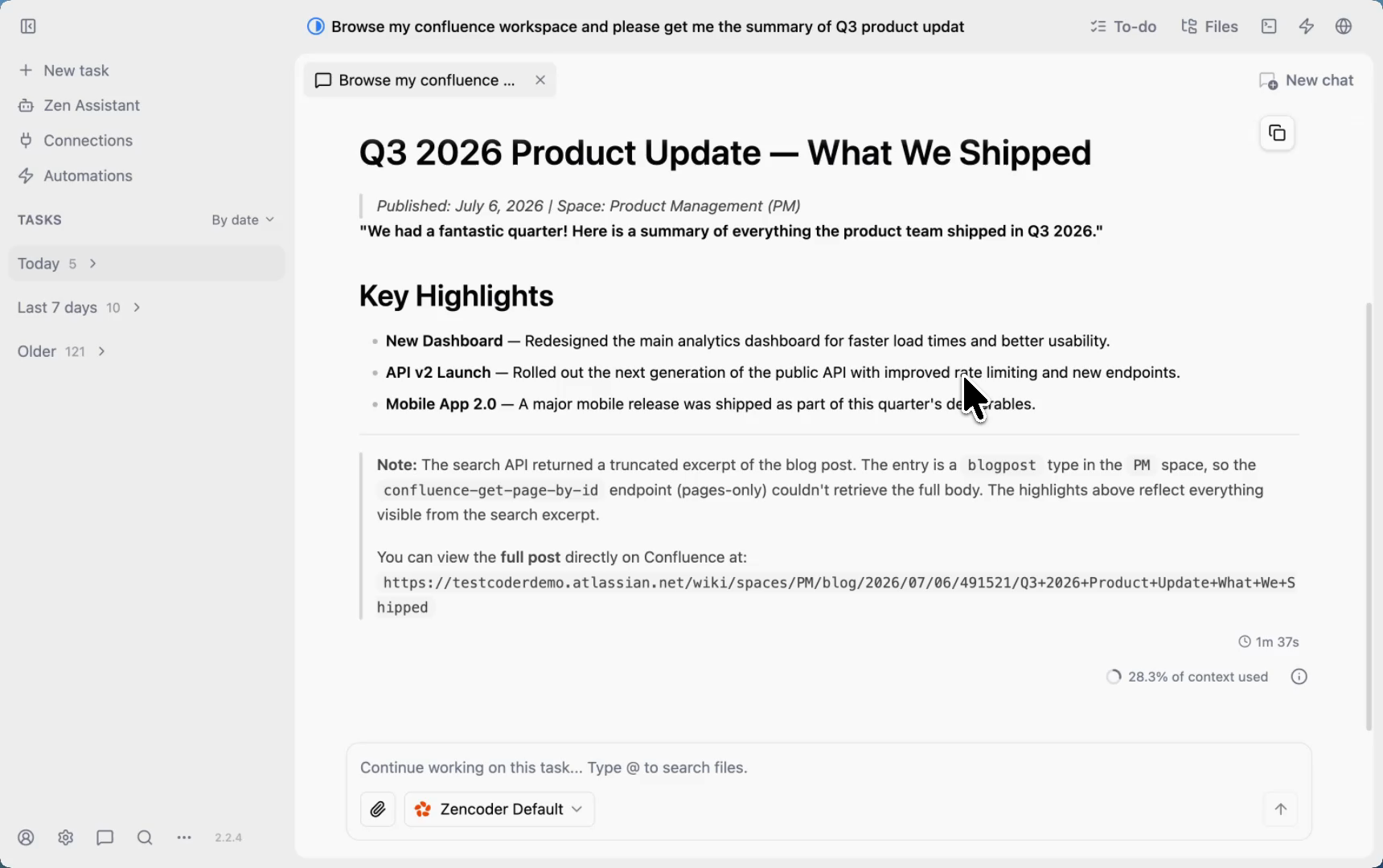
The agent surfaces the "Q3 2026 Product Update — What We Shipped" page from the Product Management space, extracting key highlights: the New Dashboard redesign, API v2 Launch, and Mobile App 2.0 release — pulled directly from the Confluence blog post in real time.
What Zenflow Can Do With Your Confluence Workspace
Read Operations
- Search pages across spaces by title, keyword, or label
- Retrieve full page content including structured text, tables, and code blocks
- List pages within a space or under a parent page
- Fetch page version history and recent changes
- Read comments and inline annotations on pages
- Access attached files and embedded content
Write Operations
- Create new pages in a specified space with AI-generated content
- Update existing pages to reflect code changes post-merge
- Add comments or inline annotations on pages
- Create child pages under a parent for structured documentation generation
Cross-Tool Actions
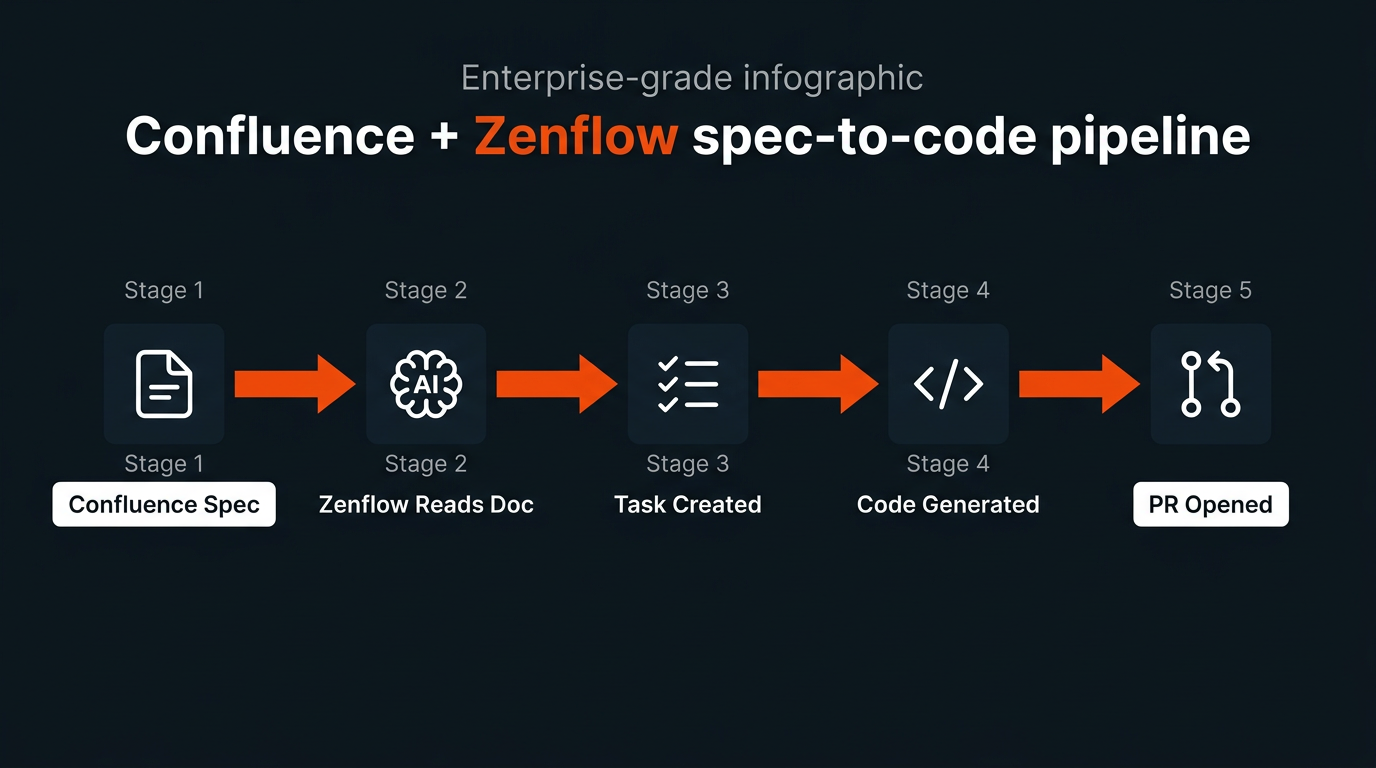
Zenflow's true power is in cross-tool pipelines. When connected to both Confluence and your GitHub repository, Zenflow can read a spec, generate the implementation, open a PR, and then update the Confluence page with implementation notes — all within a single task chain.
5 Enterprise Use Cases for Zenflow + Confluence
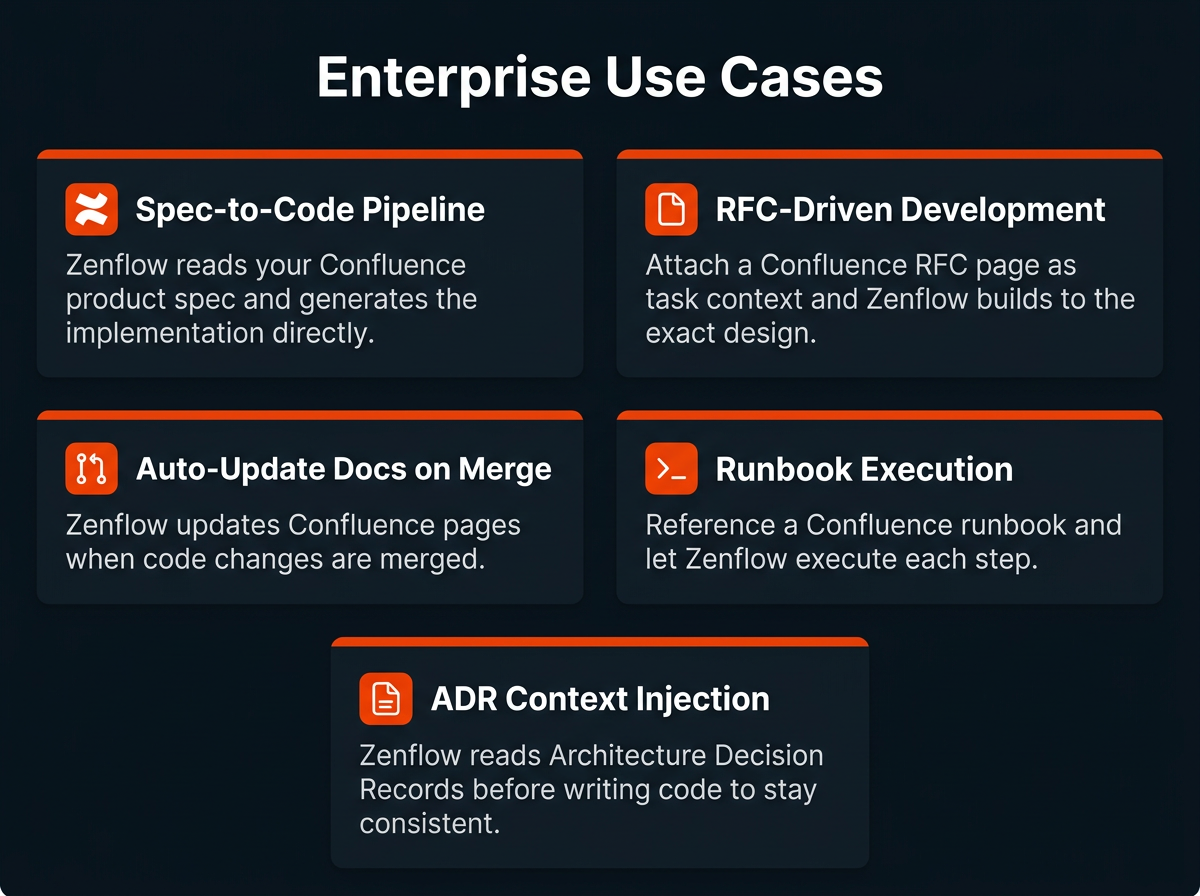
1. Spec-to-Code Pipeline
This is the core use case: your product manager writes a specification in Confluence, and Zenflow turns it into working code. An engineer points Zenflow at the spec page with a single instruction — "Read this spec and implement the feature" — and Zenflow parses the requirements, generates the code, handles edge cases described in the doc, and opens a pull request.
This works especially well for API endpoint definitions, data model specifications, and UI component descriptions where the requirements are already structured in the documentation. The implementation no longer drifts from the spec because Zenflow is reading the same document as the engineer — every time.
2. RFC-Driven Development
Request-for-Comment (RFC) documents are the design artifacts of engineering teams. They define the architecture, the trade-offs considered, and the technical decisions made before implementation begins. Zenflow can ingest an RFC page as direct task context, ensuring the generated code reflects the architectural intent — not a summary passed through memory or a quick read-through.
For teams practicing spec-driven development, this closes the loop between the design process and the delivery process in a way that was previously only possible with significant manual effort.
3. Automatic Documentation Updates on Merge
One of the most persistent failures in enterprise engineering is documentation drift — where Confluence pages describe how a system worked two years ago while the actual code has moved on. Zenflow can be configured to update the relevant Confluence page whenever a related PR is merged, keeping your documentation synchronized with your codebase automatically.
An engineer can prompt: "After merging this PR, update the Confluence page for the payments API to reflect the new rate limiting behaviour." Zenflow handles the page edit without requiring the engineer to switch context.
4. Runbook Execution
Confluence runbooks are step-by-step operational guides for incident response, deployments, and maintenance procedures. Rather than an on-call engineer manually executing each step during a high-pressure situation, Zenflow can reference the runbook page and execute the steps — running commands, checking system states, and confirming each step's success before proceeding.
This reduces execution errors during incidents and ensures that runbooks are actually followed in the order they were written, rather than being skipped or abbreviated under time pressure.
5. Architecture Decision Record (ADR) Context Injection
ADRs are the institutional memory of technical decisions — why the team chose PostgreSQL over MongoDB, why the event-driven architecture was adopted, why a specific API pattern was standardized. Engineers who were not present for those decisions often write code that unknowingly violates them.
Zenflow can retrieve the relevant ADRs from Confluence before generating code for a task, injecting that context directly into its reasoning. The result is generated code that stays architecturally consistent with decisions the team already made — without requiring engineers to manually search and read documentation before starting every task.
Docs-Driven Development: Manual vs. Zenflow AI
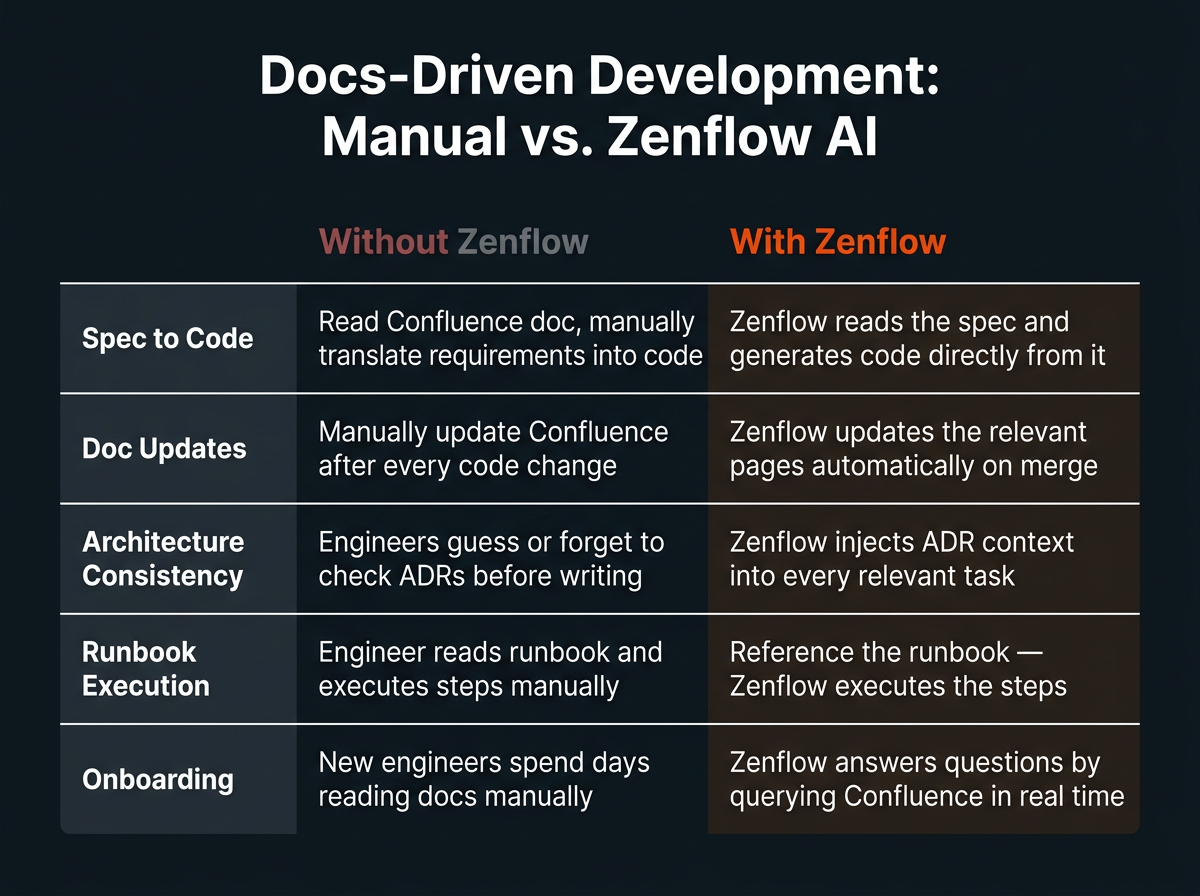
| Task | Without Zenflow | With Zenflow |
|---|---|---|
| Spec to code | Read Confluence doc, manually interpret and translate into code | Zenflow reads the spec and generates code directly from it |
| Doc updates | Manually update Confluence after every code change (rarely happens) | Zenflow updates the relevant pages automatically on merge |
| Architecture consistency | Engineers guess or forget to check ADRs before writing | Zenflow injects ADR context into every relevant task |
| Runbook execution | Engineer reads runbook and executes steps manually, often under time pressure | Reference the runbook — Zenflow executes each step in sequence |
| New engineer onboarding | Spend days manually reading Confluence spaces to get up to speed | Zenflow answers questions by querying Confluence in real time |
Security and Access Control
The Zenflow Confluence integration uses Atlassian OAuth 2.0 for authorization via Pipedream Connect. Zenflow only accesses the Confluence site and spaces you authorize during setup. Your Atlassian credentials are never stored by Zenflow, and the connection can be revoked from your Atlassian account settings at any time.
For enterprise deployments, Zenflow recommends:
- Connecting with a dedicated service account scoped to the Confluence spaces relevant to your engineering workflows
- Restricting write access to documentation update use cases only — use read-only scopes for query-only workflows
- Reviewing Zenflow's Confluence activity periodically via Atlassian's audit logs to maintain visibility into automated page edits
Frequently Asked Questions
Can Zenflow read Confluence pages across multiple spaces?
Yes. Zenflow can search and retrieve pages across all spaces your connected Atlassian account has access to. You can specify a particular space in your task prompt to scope the search, or let Zenflow search globally across your workspace.
Can Zenflow update Confluence pages automatically?
Yes. Zenflow can create new pages and update existing ones. This is particularly useful for keeping API documentation, architecture overviews, and runbooks synchronized with your actual codebase after changes are merged.
How does Zenflow handle large Confluence pages or long specifications?
Zenflow retrieves the full page content and processes it within its task context. For very large specifications, it is good practice to structure your prompt to reference the specific sections relevant to the task — for example, "Implement Section 4.2: Rate Limiting" — to focus the implementation on the right requirements.
Can Zenflow read Confluence pages that include tables, code blocks, and diagrams?
Yes. Zenflow parses Confluence page content including structured text, tables, and code blocks. Embedded diagrams (like Lucidchart or draw.io macros) are read as their underlying text representations.
Does this work with Confluence Cloud and Confluence Data Center?
Yes — both are supported. When you connect in Zenflow's Connections panel, you will see two options: Confluence (Cloud) and Confluence Data Center (self-hosted enterprise). Select the one that matches your Atlassian deployment. For Data Center, ensure your instance is network-accessible from Pipedream's servers or your Zenflow environment.
Can Zenflow search Confluence by label or metadata?
Yes. Zenflow can query Confluence using Confluence Query Language (CQL) under the hood — filtering by space, label, content type, author, or last-modified date — to surface exactly the right pages for a given task context.
What happens if the Confluence page I reference has restricted permissions?
Zenflow operates within the permission scope of your connected Atlassian account. If the connected account does not have view access to a restricted page, Zenflow will not be able to retrieve it — maintaining your existing Confluence permission model.
Can Zenflow work with Jira and Confluence simultaneously?
Yes. Both Jira and Confluence are Atlassian products and can be connected to Zenflow independently. A common workflow is: Zenflow reads the Jira ticket for context, pulls the linked Confluence spec, implements the feature, updates the Jira ticket status, and posts a comment with the PR link — all in a single task chain.