Your AI teammate, now in Slack
Mention it, and watch the work get done. write code, manage projects, run automations, and act across your connected tools, all through conversation.
Get Zenflow to Slack
Three quick steps to bring your AI teammate into Slack.
Create your account
STEP 01
Connect to Slack
One click to authorize Zenflow. We'll guide you through Slack's secure OAuth flow.
STEP 02
Zenflow gets to work
Mention @zenflow anywhere to start delegating.
STEP 03
Better Together
Work with Zenflow in Slack
Bring Zenflow into the conversations your team already has. Message it, mention it, and let it ship work without leaving Slack.
Collaborate on code
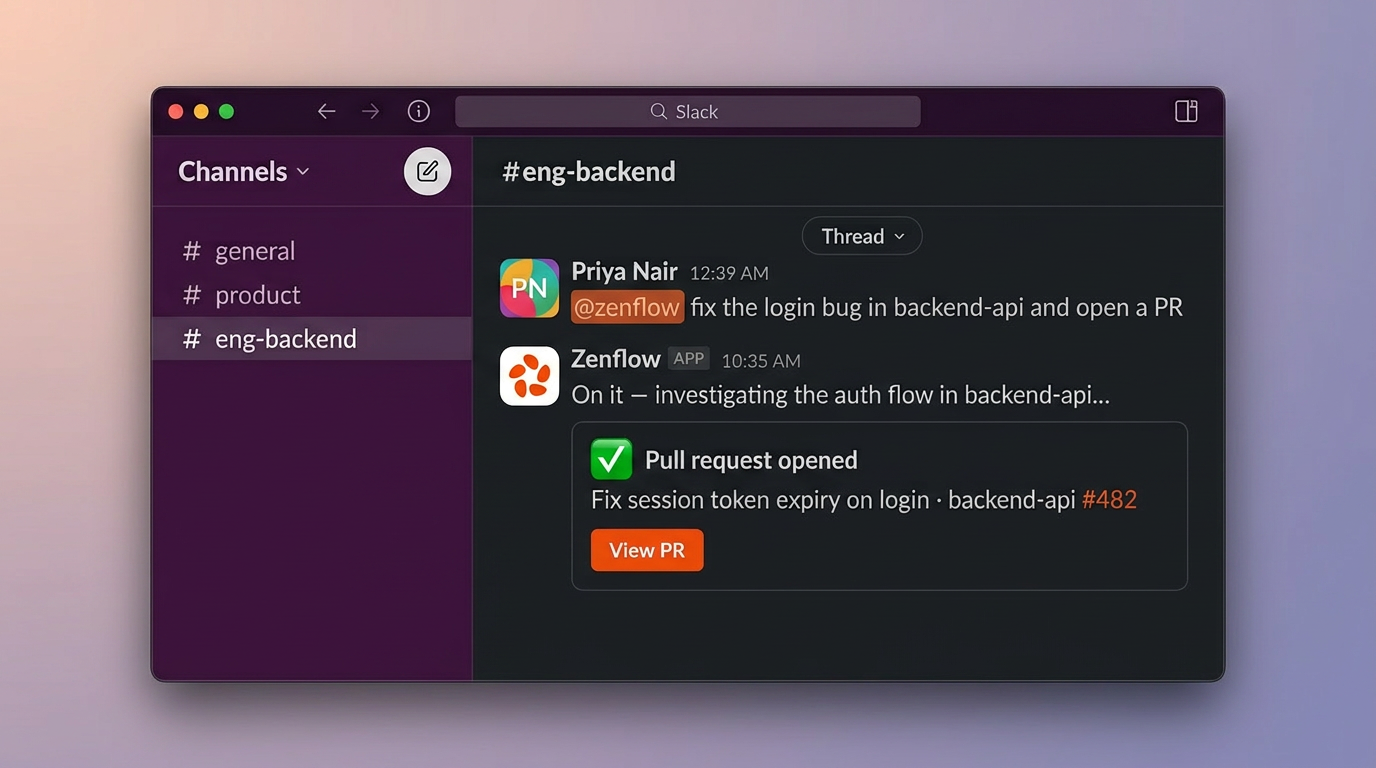
Ask @zenflow to fix bugs, add tests, refactor code, or implement features. Zenflow runs the work remotely and returns a GitHub pull request for review.
Send a direct message
Start a private conversation with @zencoder for task planning, project questions, or coding requests.
Mention Zenflow in any thread
Bring Zencoder into engineering discussions and ask it to summarize, plan, create tasks, or start implementation.
Continue the conversation
Reply in the same thread with follow-ups. Zencoder keeps the context and updates the work as it moves forward.
Your Proactive AI Assistant
Built for your daily workflows
Bring Zenflow into the conversations your team already has and let it take action across coding, tasks, and your everyday tools.
Kick off coding tasks
Debug issues, implement changes, and open PRs directly from Slack. Example: “@zenflow fix the login bug in backend-api and open a PR”
Turn threads into tasks
Convert product, support, marketing, content, or engineering discussions into structured Zenflow tasks. Example: “@zenflow create an implementation task from this thread”
Track project progress
Ask what is pending, blocked, in progress, or ready for review. Example: “@zenflow summarize what is in progress this week”
Put the routine on autopilot
Create recurring workflows without leaving Slack. Daily standup tasks, Weekly content reporting, Planning reminders, Release checklist follow-ups, Campaign summariesExample: “@zenflow create a competitor research task for every Monday at 9am”
Work across your tools
Pull info, take action, and keep things moving across Gmail, HubSpot, Google Drive, Docs, Sheets, Amplitude, LinkedIn, Google Ads, Zoom, and more. Example: "@zenflow pull this week's top deals from HubSpot and post a summary here"
Choose the right model
Use faster models for quick answers and stronger ones for complex work or let Zenflow pick. Example: "@zenflow use the best model for this and draft the plan"
Secure, and always in your control
Orchestrate AI agents across your engineering org with the governance, security, and visibility enterprise teams require.
Security & Compliance
SOC 2 Type II, ISO 27001, and ISO 42001. Full audit trails, zero code storage, zero model training on your data.
Governance & Access Control
Approval gates, role-based permissions, and human-in-the-loop policies. Define who can deploy what and when.
Workflow Standardization
Enforce spec → plan → build → verify across every team. Pre-built and custom workflows that match how your org ships.
Multi-Repository Intelligence
Agents reason across service boundaries, shared dependencies, and cross-repo impacts. 5 repos or 500.
Flexible Deployment, Models & Billing
Cloud, on-premise, or hybrid. BYOK for existing OpenAI and Anthropic agreements. Enforce approved model policies org-wide.
Ecosystem Integration
GitHub, GitLab, Jira, CI/CD, SSO via Okta and Google Workspace. Agents work inside your toolchain, not alongside it.
Frequently asked questions
-
Zenflow can manage Zenflow tasks, answer project questions, create automations, and start AI coding agents that open pull requests.
-
Yes. Ask @zenflow to fix bugs, add tests, refactor code, or implement features. Zenflow returns a GitHub PR for review.
-
Yes. Zenflow supports multi-model workflows. Choose a model in your prompt or let Zenflow pick one.
-
Yes. Create recurring tasks, reminders, summaries, and workflow automations directly from Slack.
Zenflow uses AI to generate responses and perform actions. Outputs may be inaccurate review before acting. The in-Slack AI agent requires a paid Slack plan; other features work on free plans. Zenflow does not use Slack data to train AI models.