
Are you struggling to keep your code clean, secure, and scalable as your projects grow in complexity? With static code analysis, you can automatically detect bugs, enforce coding standards, and identify security vulnerabilities before they reach production.
In fact, over 65% of enterprises have already integrated it into their development workflows to improve code quality and reduce risks. In this article, you will learn everything you need to know about static code analysis and how to use it effectively in 2026.

Key Takeaways
- Static code analysis finds problems before they become expensive bugs
It scans source code without running it to catch errors, security risks, and bad practices early. This saves time, reduces debugging costs, and prevents issues from reaching production.
- Different analysis methods work together to uncover deeper issues
From lexical and syntax checks to control flow, data flow, and symbolic execution, each layer helps detect different types of problems.
- Static analysis improves long-term code quality and maintainability
Enforcing consistent coding standards and tracking metrics like complexity and duplication helps teams reduce technical debt and maintain large codebases.
- It works best when combined with other testing approaches
Static analysis alone is not enough. For maximum impact, it should be used alongside unit tests, integration tests, dynamic analysis, and dependency scanning to cover both design-time and runtime risks.
- Zencoder makes static analysis smarter and more practical at scale
Zencoder uses AI and full repo understanding to deliver deeper insights, better code reviews, and integrated security checks across your workflows, helping teams apply static analysis more effectively across large, complex projects.
What Is Static Code Analysis?
Static code analysis is the process of reviewing source code to find potential problems without actually running the program. It uses automated tools to scan the code’s structure and text for issues such as syntax errors, poor coding practices, security flaws, and violations of coding standards.
For example, these tools can catch unreachable code, incorrect operators, or unsafe API usage before the software is ever executed. Unlike dynamic analysis, which detects issues while the program is running, static analysis helps identify problems early in the development process.

Benefits of Static Code Analysis
Using static analysis offers many benefits for software teams and their projects. Here are some of the key advantages:
🟢 Early bug detection – Static analysis finds bugs before code is executed, which reduces debugging time and overall development cost. By catching issues on each commit or pull request, teams can avoid expensive fixes later and improve overall software quality.
🟢 Improved code quality and maintainability – Static analysis enforces coding standards and best practices, making code more consistent and easier to understand. This consistency improves long-term maintainability, especially in large or distributed teams, while also helping teams manage technical debt over time.
🟢 Security vulnerability detection – Static analysis tools can identify common security issues like SQL injection risks or unsafe API usage before the software runs. Catching these vulnerabilities early helps prevent serious security problems from reaching production.
🟢 Enforcing best practices and consistency – Static analysis tools automatically enforce coding guidelines and flag outdated or incorrect patterns. This reduces style debates and ensures consistency across the codebase, allowing developers to focus on logic instead of formatting.
🟢 Assistance with code reviews – Static analysis catches simple issues such as syntax errors or unused variables before human reviewers step in. This allows reviewers to focus on higher-level design and architecture rather than minor mistakes.
🟢 Technical debt management – Static analysis tracks metrics like complexity and duplication to give visibility into overall code health. These insights help teams identify problem areas early and plan refactoring before technical debt grows out of control.
Static Code Analysis Methods
Static analysis uses several techniques to examine source code without executing it. Each method focuses on a different aspect of the program, and the most common approaches include:
1. Lexical Analysis
Lexical analysis breaks source code into tokens such as keywords, operators, identifiers, and literals. At this stage, tools can quickly detect simple errors, including:
- invalid characters
- misspelled operators
- incorrect or improperly closed string literals
Many linters operate primarily at this level, using lexical analysis to enforce naming conventions and formatting rules.

2. Syntax Analysis
Syntax analysis (parsing) builds a structured representation of the code, such as a parse tree or an Abstract Syntax Tree (AST), based on the language’s grammar. This step ensures the code follows the correct grammatical structure.
At this stage, tools and compilers check for issues like:
- mismatched or missing parentheses, brackets, or braces
- invalid loop or conditional structures
- incorrect punctuation (such as missing semicolons)
- improper ordering of language constructs
3. Semantic Analysis
Semantic analysis happens after parsing and focuses on whether the code makes sense according to the language’s rules. It goes beyond structure and checks the meaning of what you’ve written.
At this stage, tools analyze:
- type checking (e.g., making sure you don’t add a string to an integer)
- scope validation (ensuring variables are only used where they are declared)
- correct function usage (verifying the number and types of arguments)
- proper variable initialization before use
Semantic analysis identifies problems that are syntactically correct but logically invalid within the language. For example, using a variable that was never initialized will pass syntax checks but fail semantic analysis.
4. Control Flow Analysis
Control flow analysis builds a control flow graph of a program, showing all possible paths its execution could take. This helps tools reason about how the code behaves at runtime.
At this stage, analyzers look for issues such as:
- unreachable or dead code
- branches that can never be executed
- infinite or non-terminating loops
- exception handlers that will never be triggered
For example, control flow analysis can detect an else block that will never run because of earlier logic, or an exception handler that can never be reached.
5. Data Flow Analysis
Data flow analysis tracks how data values move and change throughout the program. It focuses on where variables are defined, how they’re used, and how their values propagate through different paths.
At this stage, analyzers look for issues such as:
- use of uninitialized variables
- null or unchecked values that could cause runtime errors
- unused variables or “dead” assignments
- computations whose results are never used
For example, if a variable is read before being assigned a value, data flow analysis can flag a potential null or uninitialized reference. It also helps identify inefficient or redundant code, which can improve performance and clarity.
6. Symbolic Execution
Symbolic execution is an advanced analysis technique where the code is “executed” using symbolic inputs instead of actual values. This allows tools to explore many possible execution paths and reason about how the program behaves under different conditions.

At this stage, analyzers can detect issues such as:
- edge-case bugs that only appear under specific input conditions
- hidden runtime errors (e.g., division by zero for certain inputs)
- logic flaws along rarely tested execution paths
- vulnerabilities triggered by specific combinations of inputs
7. Pattern-Based (Rule-Based) Analysis
Pattern-based analysis uses a library of predefined rules and patterns to identify common coding mistakes, bad practices, and known vulnerabilities. These patterns are matched against your source code to quickly identify risky constructs.
Analyzers look for things such as:
- use of deprecated or insecure APIs
- error-prone coding patterns (e.g., sleeping threads or busy-wait loops)
- hard-coded credentials or secrets
- violations of coding or security standards (such as OWASP guidelines)
Best Practices for Effective Static Analysis
Static analysis can significantly improve code quality and security when applied correctly throughout the development lifecycle. These practices will help you integrate it effectively, reduce noise, and ensure your team gets the most value from automated code scanning.
1. Customize Your Rule Set
Default static analysis rules are a great starting point, but most projects need tuning because every codebase has its own style and risk profile. Disable rules that don’t apply, and strengthen or add checks where it matters most.
For example, you might relax certain rules in legacy modules while tightening security rules in sensitive parts of the code (where unsafe functions could cause serious issues). This way, you reduce noise, so developers see only relevant warnings instead of being overwhelmed by unnecessary alerts.
2. Train and Involve Developers
Static analysis is most effective when developers understand how to use it and interpret its results. Provide training or documentation that explains how to read reports, recognize real issues versus false positives, and fix common problems.
For example, you can use real warnings from your own codebase during training sessions or documentation walkthroughs. You should explain exactly why they matter, what risks they introduce, and how to correct them in practice.
3. Enforce Metrics and Technical Debt Management
Use static analysis reports to measure code health over time and track key indicators like complexity, duplication, and rule violations. Present these metrics on dashboards or in reports so teams can easily monitor trends and make informed decisions.
For example, if a module’s cyclomatic complexity keeps increasing sprint after sprint, it’s a strong sign that the code is becoming harder to maintain and should be scheduled for refactoring.
4. Combine with Other Testing Methods
Static analysis is powerful, but it can’t catch everything, especially issues that only appear at runtime. To build a more complete testing strategy, combine it with other approaches such as:
- Unit tests to verify core functionality
- Integration tests to ensure components work correctly together
- Dynamic analysis techniques like performance profiling and fuzz testing to uncover runtime issues
- DAST (Dynamic Application Security Testing) to identify security flaws in running applications
- SCA (Software Composition Analysis) to uncover vulnerabilities in third-party dependencies
Challenges of Static Code Analysis
Despite its advantages, static code analysis has challenges and limitations that teams should be aware of. Here are some of the key restrictions to keep in mind:
- False positives – Static analysis tools sometimes flag code that is actually correct, which can frustrate developers. Over time, this can cause “alert fatigue,” so teams need clear processes for tuning rules and suppressing irrelevant warnings.
- False negatives (incomplete coverage) – Static analysis cannot detect every bug, especially those that depend on complex interactions. It may miss subtle logic errors or issues that only appear during actual execution.
- Setup and maintenance overhead – Implementing static analysis requires time to configure tools, customize rules, and keep them up to date. Larger or multi-language codebases increase this complexity and require ongoing maintenance.
- Performance impact – Deep static analysis can be resource-intensive and may slow down build pipelines if run too often. Teams usually balance this by using lightweight checks frequently and full scans less often.
- Fragmented tool landscape – No single tool covers all languages and types of analysis effectively. Teams often need multiple tools, which increases integration and management complexity.
How to Choose the Best Static Code Analysis Tool
When selecting a static code analysis tool for your team or project, focus on these key factors to ensure it delivers real value instead of just generating noise.
✅ Language & framework support – Make sure the tool fully supports the programming languages and frameworks used in your codebase, including versions and important extensions. If support is incomplete, issues may be missed or incorrectly reported.
✅ Accuracy & low false positives – Choose tools known for high precision to avoid alert fatigue. A high false positive rate leads developers to ignore warnings, which reduces the tool’s real value.
✅ Security capabilities – Check if the tool includes strong built-in security analysis for common vulnerabilities like SQL injection, XSS, insecure deserialization, authentication flaws, and secret detection.
✅ CI/CD integration – Ensure the tool integrates smoothly with your CI/CD pipelines so issues are automatically detected during commits and pull requests.
✅ Customization & rules configuration – A good tool should allow you to customize rules, set severity levels, and adapt checks to match your organization’s coding standards and risk tolerance.
✅ Scalability & performance – The tool should scale to large repositories and multi-team environments without significantly slowing down local development or build pipelines.
While there are many tools that support static code analysis, you should choose one that not only identifies issues, but also enhances your entire development workflow, reduces friction for developers, and improves code quality at scale.
That’s exactly what Zencoder does!
Why Should You Try Zencoder?
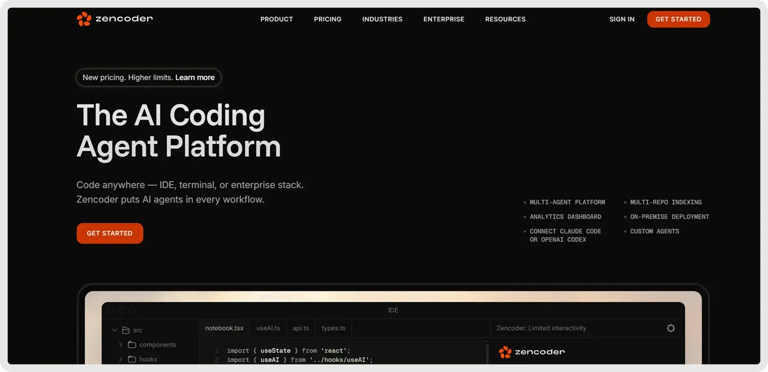
Zencoder is an AI-powered coding agent that enhances the software development lifecycle (SDLC) by improving productivity, accuracy, and creativity through advanced artificial intelligence solutions. With its Repo Grokking™ technology, Zencoder analyzes your entire codebase, uncovering structural patterns, architectural logic, and custom implementations.
It integrates with your existing development tools and supports over 70 programming languages, working effortlessly with popular IDEs such as Visual Studio Code and JetBrains.
Zencoder’s Key Features:
1️⃣Integrations – Zencoder integrates with over 20 developer environments, simplifying your entire development lifecycle. It’s the only AI coding agent offering such extensive integration.
2️⃣ Code Review Agent – Receive precise code reviews at any level, whether it’s an entire file or a single line. Get clear, actionable feedback to enhance code quality, strengthen security, and ensure alignment with best practices.
3️⃣ All-in-One AI Coding Assistant – Improve code quality and speed up development with an integrated AI solution that helps developers write cleaner, more accurate, and more reliable code from the start.
- Code Completion – Smart code suggestions keep your momentum going with context-aware, accurate completions that reduce errors and enhance productivity.
- Code Generation – Produces clean, consistent, and production-ready code tailored to your project’s needs, perfectly aligned with your coding standards.
- Chat Assistant – Receive instant, reliable answers and personalized coding support. Stay productive with intelligent recommendations that keep your workflow smooth and efficient.
4️⃣ Security treble – Ensures enterprise-grade protection with SOC 2 Type II, ISO 27001, and ISO 42001 certifications, making Zencoder the only AI coding agent with all three.
5️⃣ Zen Agents – Customizable AI teammates that understand your code, integrate with your tools, and are ready to launch in seconds.

Here is what you can do:
- Build smarter – Create specialized agents for tasks like pull request reviews, testing, or refactoring, tailored to your architecture and frameworks.
- Integrate quickly – Connect to tools like Jira, GitHub, and Stripe in minutes with our no-code MCP interface, letting agents operate seamlessly within your existing workflows.
- Deploy instantly – Deploy agents across your organization with one click, with auto-updates and shared access to keep teams aligned and expertise scalable.
- Explore marketplace – Discover a growing library of open-source, pre-built agents ready to drop into your workflow. See what other developers are building, or contribute your own to help the community move faster.
6️⃣ Multi-Repo Search – Index and search across multiple repositories so AI agents can understand and navigate complex multi-repo architectures. Easily add and manage repositories through the web admin panel, enabling agents to access and query all indexed code when needed
Ready to level up your code quality and security with AI-powered static analysis and intelligent code review? Try Zencoder today and turn your entire codebase into a smarter, safer, and faster development engine.