Did you know that 40% of organisations report that poor software quality costs them over $1 million annually? This massive loss, driven by defects, vulnerabilities, and rising technical debt, has pushed more development teams to adopt automated code review tools to catch issues earlier and strengthen code quality.
However, not every tool provides the same level of security, accuracy, or confidence—and with so many options available, it’s not always easy to find the right fit for your workflow.
In this article, we’ve selected the top 8 automated code review tools to help you catch issues faster, reduce technical debt, and build more reliable software.

8 Best Automated Code Review Tools for Developers
Before we dive deeper into our top picks, here is a quick overview of what awaits you:
|
Tool |
Best Use Case |
IDE Compatibility |
Code Review Capabilities |
Multi-Repo Search & Support |
AI Testing / Auto-Fixing |
AI Agents / Assistants |
Pricing |
|
Zencoder |
Full-featured AI coding agent, AI testing agent, custom agents, MCP support, integrations |
VS Code, JetBrains |
Code Review Agent providing actionable feedback on files & lines |
✅ |
Zentester – end-to-end AI testing with auto-updating tests |
Coding agent, unit-test agent, e2e agents, custom marketplace |
Free; Starter $19/mo; Core $49/mo; Advanced $119/mo; Max ~$250/user/mo |
|
Codacy |
DevSecOps, code quality & security enforcement |
Integrations with IDEs & AI assistants (VS Code etc) |
PR scanning, automated code quality/security checks |
❌ |
❌ |
❌ |
Free; Team ~$18/mo |
|
SonarQube |
Code quality & security analysis across many languages |
IDE plugins for VS Code, Eclipse, IntelliJ, Visual Studio; CI/CD integrations |
Automated static analysis, PR/branch scanning, bug & vulnerability detection |
❌ |
Some auto-fix suggestions via IDE extensions |
❌ |
Free; paid editions start around ~$32/mo; enterprise custom |
|
CodeRabbit |
AI-powered PR reviews with deep codebase awareness |
GitHub & GitLab native integration; VS Code extension |
Line-by-line analysis, PR summaries, one-click fixes, code-graph reasoning |
✅ |
Limited to auto-fix suggestions; no full AI testing |
Built-in AI reviewer (contextual comments, summaries) |
Free; paid plans from ~$12/mo; enterprise available |
|
Snyk Code |
AI-powered SAST for vulnerability detection & auto-fix |
Broad IDE support + Git workflows + CI/CD pipelines |
Real-time vulnerability scanning in IDE/PRs + auto-fix suggestions |
✅ |
Auto-fix for vulnerabilities (not general testing) |
DeepCode AI engine |
Free; Team ~$25/mo; enterprise custom |
|
DeepSource |
DevSecOps platform for code quality, SAST, SCA, IaC security |
GitHub, GitLab, Bitbucket, Azure DevOps (Zero-CI setup) |
PR-based automated issue detection, quality/security gates, baseline filtering |
✅ |
Autofix suggestions; limited testing |
Autofix™ AI remediation |
Free; Starter ~$8/user/mo; Business ~$24/user/mo |
|
Qodo |
AI-powered code review for complex & multi-repo enterprise workflows |
VS Code + GitHub/GitLab/CI pipelines |
Context-aware IDE reviews, PR automation, compliance & standards enforcement |
✅ |
Some auto-test/coverage generation features |
Agentic review workflows |
Free; Teams ~$38/mo; Enterprise custom |
|
Codiga |
Customizable static code analysis w/ real-time autofix |
VS Code, JetBrains; GitHub/GitLab/Bitbucket; CI/CD |
Real-time IDE checks, automated PR reviews, custom rule creation |
❌ |
Some autofix capabilities; not full AI testing |
❌ |
Free; paid plans from ~$12/mo |
📌 Note
All the pros and cons mentioned in this text are sourced from reliable platforms such as G2, Capterra, and community opinions shared on Reddit.
1. Zencoder
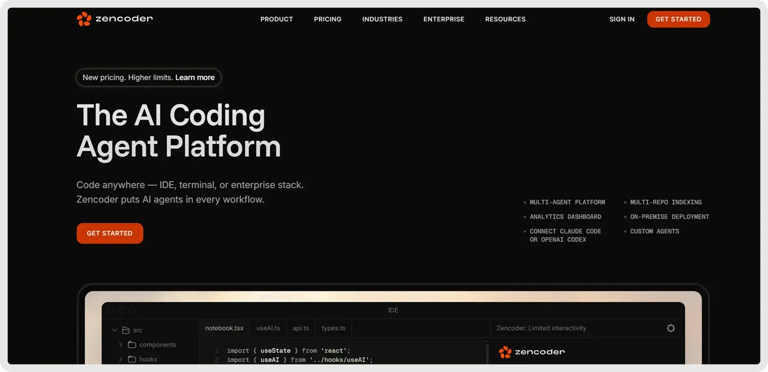
Zencoder is an AI-powered coding agent that enhances the software development lifecycle (SDLC) by improving productivity, accuracy, and creativity through advanced artificial intelligence solutions.
With its specialized Code Review Agent, Zencoder delivers targeted, intelligent reviews, from full files to individual lines. It provides clear, actionable feedback that improves code quality, security, and best-practice adherence across your workflow.
Powered by its advanced Repo Grokking™ technology, Zencoder is able to analyze your entire codebase holistically, detecting structural patterns, architectural decisions, and unique implementation details. This deep, context-aware understanding enables Zencoder to provide highly precise recommendations, enhancing the quality of code writing, debugging, refactoring, and optimizing.
Key Features:
1️⃣ Integrations – Zencoder seamlessly integrates with over 20 developer environments, simplifying your entire development lifecycle. It’s the only AI coding agent offering such extensive integration.
2️⃣ Zentester – Uses AI to automate testing at every level, so your team can catch bugs early and ship high-quality code faster. Just describe what you want to test in plain English, and Zentester takes care of the rest, adapting as your code evolves.
Here is what it does:
- Our intelligent agents understand your app and interact naturally across the UI, API, and database layers.
- As your code changes, Zentester automatically updates your tests, eliminating the need for constant rewriting.
- From individual unit functions to full end-to-end user flows, every layer of your app is thoroughly tested at scale.
- Zentester’s AI identifies risky code paths, uncovers hidden edge cases, and generates tests based on how real users interact with your app.
3️⃣ Security treble – Ensures enterprise-grade protection with SOC 2 Type II, ISO 27001, and ISO 42001 certifications, making Zencoder the only AI coding agent with all three.
4️⃣ Multi-Repo Search – Index and search across multiple repositories so AI agents can understand and navigate complex multi-repo architectures. Easily add and manage repositories through the web admin panel, enabling agents to access and query all indexed code when needed.
5️⃣ Zen CLI – This Universal CLI Platform is the first developer-first platform that unifies CLIs and IDEs into one seamless workflow. With Zen CLI, you can:
- Bring any CLI tool – Bring your own CLI, Claude Code, Codex, Gemini, or Grok, all connected directly into VS Code & JetBrains with full debugging, IntelliSense, and seamless context switching.
- Multi-repo intelligence – Gain complete visibility and understanding across multiple repositories, empowering smarter coding, testing, and code reviews through unified project awareness.
- Deploy anywhere – Run 100% on-premise, hybrid, or cloud with complete air-gapping, enterprise-grade security, and zero external dependencies.
- Control costs – Leverage existing enterprise subscriptions instead of unpredictable $5K+/user monthly API bills per developer.
- Future-proof architecture – Stay ahead of the curve with the JSON-RPC foundation that instantly integrates new CLIs and IDE tools as the ecosystem evolves.
6️⃣ All-in-One AI Coding Assistant – Accelerate your development workflow with intelligent code completion, automatic code generation, and real-time chat assistance. Zencoder delivers context-aware suggestions, produces clean, production-ready code, and provides instant, reliable support to keep your workflow fast, consistent, and efficient.
7️⃣ Zen Agents – Customizable AI teammates that understand your code, integrate with your tools, and are ready to launch in seconds.

Here is what you can do:
- Build smarter – Create specialized agents for tasks like pull request reviews, testing, or refactoring, tailored to your architecture and frameworks.
- Integrate quickly – Connect to tools like Jira, GitHub, and Stripe in minutes with our no-code MCP interface, letting agents operate seamlessly within your existing workflows.
- Deploy instantly – Deploy agents across your organization with one click, with auto-updates and shared access to keep teams aligned and expertise scalable.
- Explore marketplace – Discover a growing library of open-source, pre-built agents ready to drop into your workflow. See what other developers are building, or contribute your own to help the community move faster.
Pros and Cons:
🟢 Pros:
- Uses Repo Grokking™ for deep, context-aware code analysis and intelligent recommendations
- Ensures high-quality code with intelligent reviews and unit tests
🔴 Cons:
- It may lead to over-reliance on automation, potentially limiting long-term skill growth.
Pricing
Zencoder offers a Free plan, a Starter plan (free for 7 days) that starts at $19 per user/month, a Core plan, starting at $49 per user/month, an Advanced plan, starting at $119 per user/month, and a Max plan, starting at $250 per user/month.


2. Codacy

Codacy is an end-to-end security, code-review, and quality platform that enforces consistent standards across the entire SDLC, from IDE and AI-generated code to CI/CD and production. It unifies AppSec, AI guardrails, automated code reviews, and quality enforcement, enabling teams to ship secure, maintainable software at high velocity with confidence.
Key Features:
1️⃣ Automated PR analysis – Delivers instant, rule-based code review on every pull request to enforce quality and catch issues early.
2️⃣ Static security scanning – Detects vulnerabilities, secrets, and insecure patterns across 40+ languages using industry-grade analysis.
3️⃣ AI guardrails for code generation – Evaluates and auto-fixes AI-generated code in real time to prevent security and quality regressions.
4️⃣ Quality metrics and coverage tracking – Monitors duplication, complexity, style, and test coverage to maintain consistent engineering standards.
Pros and Cons:
🟢 Pros:
- Easy to integrate and set up in CI pipelines
- Catches code issues early with strong language and rule coverage
🔴 Cons:
- It can be noisy with many rules and false positives.
- Some language or stack-specific features are still limited.
Pricing
Codacy offers a Free plan, a Team plan, starting at $18 per month, and two custom-priced plans.

3. SonarQube

SonarQube is a code quality and security platform that automatically analyzes your codebase to detect bugs, vulnerabilities, and maintainability issues across 35+ languages. It integrates seamlessly into IDEs and CI/CD pipelines, providing real-time feedback and AI-powered fixes to help teams consistently deliver clean, secure code.
Key Features:
1️⃣ Automated code scanning – Analyzes branches, scans pull requests, and merges to surface issues the moment code is committed.
2️⃣ Deep static analysis – Detects bugs, vulnerabilities, and code smells using expert-curated rules and industry standards.
3️⃣ Workflow-integrated feedback – Delivers real-time quality and security guidance directly in IDEs, Git platforms, and CI/CD pipelines.
4️⃣ AI-powered remediation – Generates context-aware fix suggestions that help developers resolve issues instantly with a single click.
Pros and Cons:
🟢 Pros:
- Helps improve code quality and finds vulnerabilities early on
- Supports many languages and integrates well into CI/CD workflows
🔴 Cons:
- Setup can be complex, and documentation or support may be lacking.
- Reports and analyses can be slow and may produce false positives.
Pricing
SonarQube offers a Free plan, a Team plan, starting at $32 per month, and an Enterprise plan with custom pricing.

4. CodeRabbit

CodeRabbit is an AI-powered code review platform that provides full-context, codebase-aware reviews, summaries, and actionable fixes directly within GitHub, GitLab, and IDEs. It helps engineering teams ship faster and with fewer bugs by automating review workflows, enhancing code quality, and integrating with tools like Jira, Linear, and popular static analysis tools like RuboCop.
Key Features:
1️⃣ Line-by-line automated reviews – Delivers granular, context-aware feedback on every code change and provides one-click fixes to accelerate review cycles.
2️⃣ Codebase-wide reasoning – Uses code graph analysis and AST understanding to evaluate changes in the context of the entire project for more accurate issue detection.
3️⃣ Autogenerated PR summaries – Produces concise summaries, change walkthroughs, and diagrams to help reviewers understand large or complex pull requests instantly.
4️⃣ Integrated IDE and Git workflows – Embeds AI reviews directly into GitHub, GitLab, and popular IDEs to surface issues early and streamline developer workflows.
Pros and Cons:
🟢 Pros:
- Helps improve code quality and catches issues that humans may miss
- It is easy to set up and integrates smoothly with pull-request workflows
🔴 Cons:
- It sometimes produces too many or unreliable suggestions.
- Support options and customization features can feel limited.
Pricing
CodeRabbit offers a Free plan, two paid plans, starting at $12 per month, and an Enterprise plan with custom pricing.

5. Snyk Code

Snyk Code is an AI-powered static application security testing (SAST) tool that helps developers find, prioritize, and automatically fix insecure code within their existing workflow. It provides fast, accurate, in-line scanning, actionable remediation guidance, and broad language and IDE support, all powered by a continuously learning security knowledge base.
Key Features:
1️⃣ Real-time scanning and auto-fixing – Delivers instant, in-IDE and in-PR vulnerability detection with pre-validated automatic fixes developers can apply in one click.
2️⃣ Deep developer-workflow integration – Embeds directly into IDEs, Git workflows, and CI/CD pipelines to automate code review without disrupting existing development processes.
3️⃣ Risk-based issue prioritization – Uses application context and noise-reduction logic to highlight the most critical, relevant vulnerabilities and provide clear, actionable remediation guidance.
4️⃣ AI-powered semantic analysis – Leverages a large, continuously trained ML knowledge base to detect complex code issues across many languages and frameworks with high accuracy.
Pros and Cons:
🟢 Pros:
- Has strong integrations with GitHub, Bitbucket, and other repos
- Delivers solid SAST/SCA scanning with helpful fix guidance
🔴 Cons:
- It can produce too many false positives, leading to alert overload.
- The customer support is slow or ineffective.
Pricing
Snyk offers a Free plan, a Team plan, starting at $25 per month, and an Enterprise plan with custom pricing.

6. DeepSource

DeepSource is a unified DevSecOps platform that uses static analysis and AI to secure every stage of the development lifecycle, covering code quality, SAST, SCA, IaC security, and more. It integrates directly into pull requests to automatically detect and fix issues, helping teams ship clean, secure code with minimal configuration.
Key Features:
1️⃣ Zero-CI native integration – Analyzes every commit and pull request through built-in GitHub, GitLab, Bitbucket, and Azure connections without requiring any CI setup.
2️⃣ Autofix AI remediation – Generates AI-powered code fixes that automatically resolve detected issues, reducing manual review effort and speeding up code cleanup.
3️⃣ Quality and security gates – Enforces customizable thresholds for code quality, coverage, and security, blocking pull requests that fail to meet team standards.
4️⃣ Baseline and new-issue filtering – Surfaces only newly introduced issues in pull requests, enabling focused, incremental code improvement without legacy noise.
Pros and Cons:
🟢 Pros:
- Offers helpful customer support and clear documentation
- Reduce manual review time with strong automation tools
🔴 Cons:
- It can generate a high volume of issues to sort through.
- Setup can be tricky for certain frameworks or configs.
Pricing
DeepSource offers a Free plan, two paid plans, starting at $10 per month, and an Enterprise plan with custom pricing.

7. Qodo

Qodo is an AI-powered code review platform that delivers context-aware, automated feedback across the entire SDLC, from your IDE to pull requests and CI/CD, to help teams ship higher-quality code faster. Built for complex, multi-repo environments, it enforces standards, detects issues early, and scales reviews to match modern AI-driven development speed.
Key Features:
1️⃣ IDE-integrated shift-left review – Delivers real-time, context-aware code analysis inside the IDE to catch bugs, logic gaps, and missing tests before commit.
2️⃣ Agentic pull-request workflows – Automates PR analysis with multi-step review agents that surface critical issues, enforce standards, and speed up approvals.
3️⃣ Multi-repository context engine – Provides deep semantic understanding across large, distributed codebases to improve the accuracy and relevance of reviews.
4️⃣ Automated compliance enforcement – Validates code changes against organizational security, quality, and policy requirements to ensure every PR stays compliant.
Pros and Cons:
🟢 Pros:
- Generates strong, context-aware unit tests and code reviews
- Integrates smoothly into IDEs like VS Code and speeds up development
🔴 Cons:
- Sometimes struggles with niche or complex coding scenarios.
- A few features feel unintuitive or missing.
Pricing
Qodo offers a Free plan, a Teams plan, starting at $38 per month, and an Enterprise plan with custom pricing.

8. Codiga

Codiga is a customizable static code analysis platform that surfaces code quality, security, and style issues directly in your IDE and CI/CD pipelines with real-time, autofixable insights. It helps teams maintain clean, secure code across the entire software development lifecycle using configurable rules and broad toolchain support.
Key Features:
1️⃣ Real-time static analysis – Delivers instant semantic checks in your IDE to catch quality, style, and security issues as you write code.
2️⃣ Automated code reviews – Analyzes pull and merge requests automatically to surface design flaws, vulnerabilities, and coding violations before manual review.
3️⃣ Custom rule creation – Allows teams to define their own static-analysis rules in minutes for fully tailored quality and security standards.
4️⃣ End-to-end workflow integration – Integrates directly with major IDEs and CI/CD platforms to provide consistent, automated code checks across the entire development lifecycle.
Pros and Cons:
🟢 Pros:
- Integrates smoothly with GitHub/GitLab/Bitbucket
- Helps improve code quality with automated reviews and useful snippets
🔴 Cons:
- Limited language and editor support compared to competitors.
- Occasional setup or token issues reported by users.
Pricing
Codiga doesn’t provide any pricing information on its website.
How to Choose the Best Automated Code Review Tool
The right choice ultimately depends on your team’s workflow, tech stack, and quality requirements:
- Smaller teams may opt for lightweight options like Codiga or DeepSource for quick setup and rapid insights.
- Mid-size teams often prefer more robust, policy-driven platforms such as SonarQube, Codacy, or Snyk Code.
- For organizations working with complex, multi-repo codebases or teams that rely heavily on IDEs and Git-based automation, AI-driven tools like CodeRabbit or Qodo offer deeper context and faster review cycles.
However, if you’re looking for a truly end-to-end, AI-native platform that delivers far more than just code reviews, Zencoder is the perfect choice for you.
With Zencoder, you can:
- Review code with full codebase context using advanced Repo Grokking™ technology.
- Automate testing at every level through Zentester’s intelligent, self-updating test generation.
- Enforce enterprise-grade security with SOC 2 Type II, ISO 27001, and ISO 42001 compliance.
- Work seamlessly across multiple repositories with unified multi-repo search and understanding.
- Integrate and automate your workflows using Zen CLI and customizable Zen Agents.
- Accelerate development with AI-assisted coding, debugging, refactoring, and PR reviews.
Try Zencoder today and elevate your code reviews with the only AI platform that understands your entire codebase and delivers truly intelligent, end-to-end review automation.
How We Selected the Best Automated Code Review Tools
To help you confidently choose the right automated code review solution in 2026, we:
✅ Extensive market analysis – We researched over 40 automated code review, static analysis, and AI-assisted development platforms, assessing their capabilities across code quality, security, performance, and automation depth.
✅ Feature, workflow, and integration testing – Each tool was evaluated for its support of IDE integrations, Git-based review automation, CI/CD compatibility, language coverage, AI capabilities, multi-repo handling, and overall developer experience.
✅ User feedback and community insights – We used trusted sources like G2, Capterra, and Reddit to gather real user opinions on accuracy, false positives, speed, ease of setup, and customer support. Our focus was on tools that consistently deliver value in active engineering environments.
✅ Security, compliance & enterprise-readiness – Platforms were assessed for their security posture, including certifications, data-handling practices, on-premise deployment options, and suitability for enterprise or regulated teams.